Finding the right bug photo with taxonomy and embeddings
How I combined taxonomic filters with image embeddings to search my bug photo library by what the pictures actually show.
The image problem
For Bugs with Mike, I have a large library of insect and spider photos. The images have metadata for their taxonomic classification, source, author, and license. That works pretty well when I need a photo of a particular bug. If I want a giant water bug, for example, I can filter for the family Belostomatidae and get photos from that family.
However, when putting together a video, I often want something more specific. If I’m talking about how large a giant water bug is, a photo with someone’s hand in the frame would give the viewer a useful sense of scale. My database knows which photos are belostomatids, but it doesn’t have a field for “there’s a hand in this photo.”
I could go through the library and add those kinds of tags, but there are a lot of images, and I would have to anticipate all the things I might eventually want to search for. A hand for scale is one example. I might also want an insect feeding, a particular view of its mouthparts, or a butterfly emerging from its chrysalis.
Adding embeddings
To make those searches possible, I used OpenCLIP to create an embedding for each image. An embedding is a list of numbers representing features the model has learned from the picture. OpenCLIP can also turn text into an embedding that can be compared with the image embeddings. That means I can describe the photo I want in a sentence and rank the images by how closely they match.
The useful part is that the description doesn’t have to appear in the image’s title or metadata. A photo titled “Lethocerus americanus” can still match a search for a giant water bug with a hand for reference, because the model is working from the photo itself.
There is a catch, though. Visual similarity doesn’t establish which insect is in a photo. An image can look like a good match for the sentence while showing the wrong group of bugs. For an educational video, that would be a pretty unfortunate mistake.
So I kept the taxonomy as a separate, explicit filter. The database determines which photos can be returned, and the embeddings help find the scene I want within that group.
Keeping it in PostgreSQL
I store the embeddings in PostgreSQL alongside the image metadata, using pgvector for the vector comparisons.
The embeddings live in their own table, linked to the image records by an image identifier. Each embedding also has a model identifier and dimension count, so the search can select vectors that match the model used to encode the query. At search time, the database joins the vectors to the image records and applies the taxonomy filter.
For each query, OpenCLIP encodes the description, then PostgreSQL compares that vector with the eligible image vectors using cosine distance. Closer matches come back first. The photo’s source, author, and license come back with it, so I have the information needed to credit the image when I use it.
The search also has some common-name hints. For example, “robber fly” can give photos in the family Asilidae a ranking boost. That is useful when searching casually, but an explicit family filter is what restricts the results to that family.
A couple of searches
For the water bug example, I searched for “giant water bug with hand for reference” and set the family filter to Belostomatidae. These were the first two results:


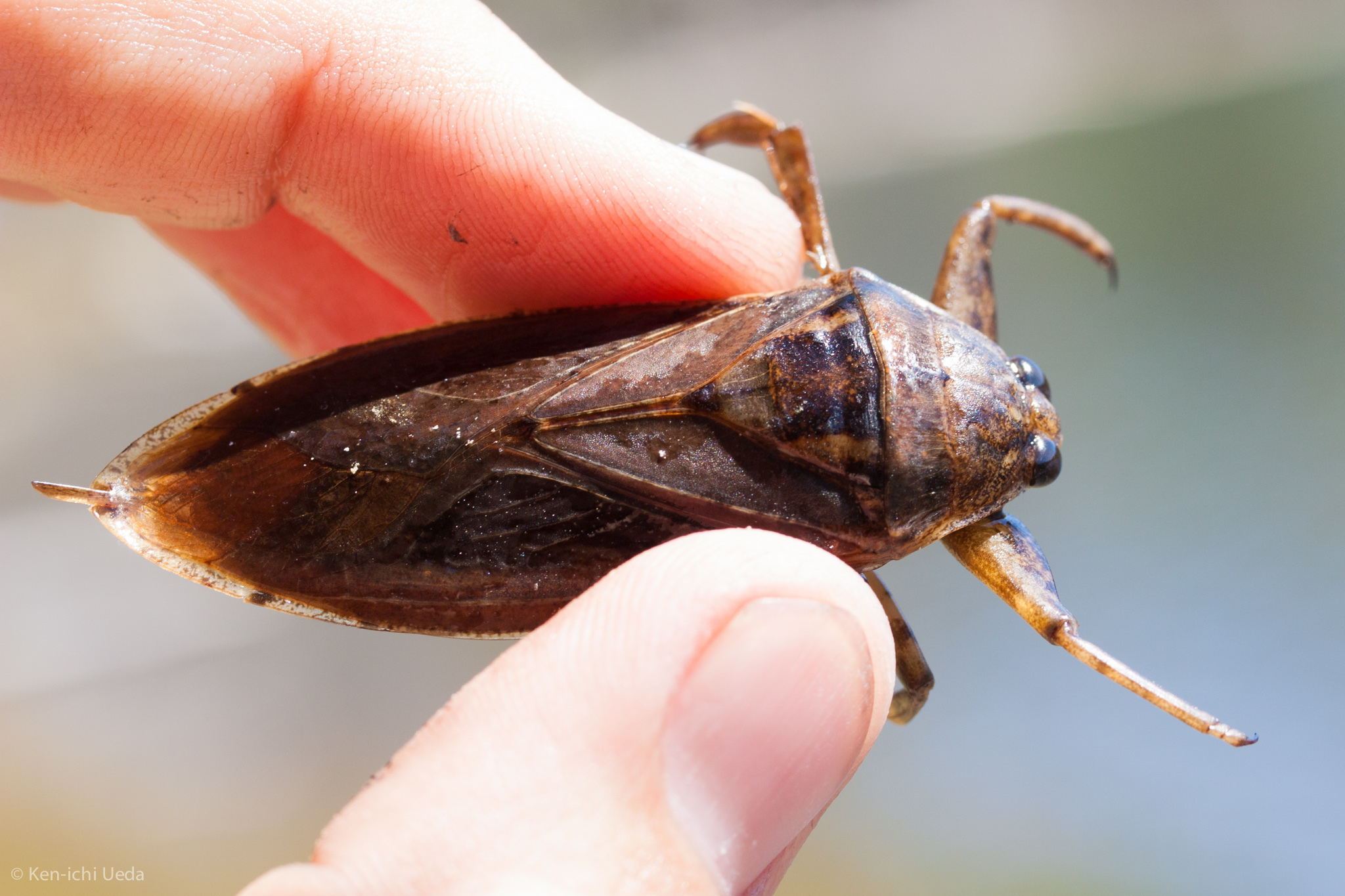
Both photos show a water bug with fingers in the frame. The family filter supplied the taxonomic constraint, while the description helped surface photos that could illustrate size.
Next I searched for “butterfly emerging from chrysalis”, with the order filter set to Lepidoptera. That order includes butterflies and moths, so the filter is broader here. The description has to do more of the work. This was the top result:


That is the kind of photo I was looking for. Some of the lower results were much less useful, including a butterfly resting on a stem. The search gives me candidates to look through; it doesn’t verify that the requested behavior is happening in every result.
Using the results
This gives the video workflow a way to search for images that illustrate a particular bit of narration. I can supply the taxon separately, then describe the visual I want: a hand for scale, an insect feeding, or an adult emerging. I can change that description without going back through the library to add another set of tags.
The taxonomy still depends on the source metadata being correct. A mislabeled photo can pass the filter, and a photo with no family recorded won’t appear in a family-filtered search. I also still need to check whether the photo actually illustrates the point and whether its license suits the intended use. But getting from the whole library to a handful of relevant photos makes that review much more manageable.